
Utilities
Spreadsheet prep.
Use utility preparation when a spreadsheet, CSV, or document describes work a human understands, but the CLI needs clean rows with real identifiers before anything can run.
Before you start: You need a connected profile and the source spreadsheet you want to clean. Run Setup readiness first. New here? See the glossary.
Ask an agent
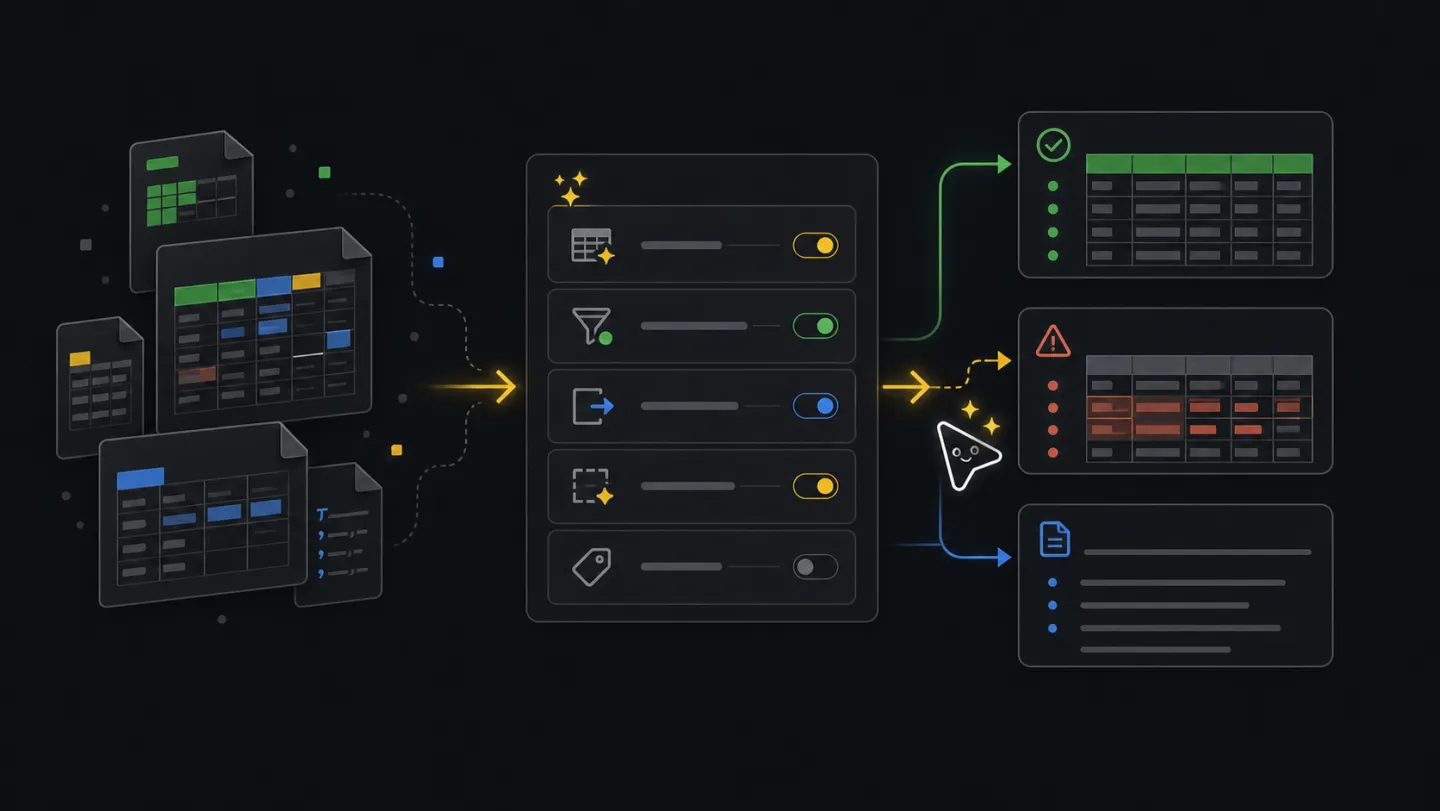
Give the agent the messy file and the job it is meant to support. It will create clean rows, rejected rows, and notes without running the final workflow.
Clean up this spreadsheet so xyte-cli can use it.What the agent will do
- DiscoverGet file and goalConfirm the spreadsheet path and target workflow when they are not already provided.
- InspectRead fileMatch the spreadsheet to a supported action.
- ChoosePick profileSelect the utility action and required columns.
- WriteCreate filesWrite primary, rejected, and notes files.
- ReturnHandoffExplain rejected rows and the next command without executing it.
Ask how it works first
Ask this when you need to know which preparation action fits the file before generating outputs.
How do I prepare a spreadsheet for xyte-cli?
Which util prepare action fits my file?
Why did rows get rejected?
Goal
Preparation turns a human-readable file into files the CLI can trust. Review rejected rows and missing identifiers first; run the final workflow only after the prepared data matches the tenant.
Commands
Find the supported action
Do this first so you do not force the wrong spreadsheet shape into the wrong workflow.
xyte-cli util list-actions \
  --format text \
  --mode friendly
Prepare Edge claim rows
Use this for devices behind an Edge proxy. Before preparing rows, run Edge model discovery so model ids and
custom_parameterslabels come fromparameters[].name. Required model parameters must be filled before claim, and password fields need real values. Required columns include proxy id, device IP, model id, and space id.xyte-cli edge models list --tenant <tenant-id> --search <model-or-alias> --page 1 --per-page 100 xyte-cli edge models describe --tenant <tenant-id> --model-id <model-id> xyte-cli util prepare \ --action organization.edge.startClaim \ --input <input.xlsx> \ --tenant <tenant-id> \ --output-dir ./preparedPrepare a space tree import
For hierarchy sources that need rows with
path,space_type, andconfig.xyte-cli util prepare \ --action space.import-tree \ --input <input.xlsx> \ --tenant <tenant-id> \ --output-dir ./preparedPrepare device moves
For source files that already identify devices and intended target spaces.
xyte-cli util prepare \
  --action device.move \
  --input <input.xlsx> \
  --tenant <tenant-id> \
  --output-dir ./prepared
Review the outputs
- The primary file contains rows that match the selected action profile.
- The rejected file contains rows that need missing ids, corrected formats, or a different workflow.
- The notes file explains columns, reject reasons, and safe next commands.
- Keep unknown identifiers rejected until someone provides real values.
./prepared/organization-edge-startclaim.csv
./prepared/organization-edge-startclaim.rejected.csv
./prepared/organization-edge-startclaim.notes.md
A rejected row keeps the original data and adds a reason, so you can see exactly what to fix:
# organization-edge-startclaim.rejected.csv
proxy_id,device_ip,device_model_id,space_id,reject_reason
,10.0.0.42,,,"missing proxy_id, device_model_id, space_id"

# organization-edge-startclaim.notes.md (excerpt)
- 8 rows accepted, 1 rejected.
- Rejected rows are missing required Xyte ids. Fill them in and run prepare again.
Use the prepared file only when the primary file contains rows you are willing to execute and rejected rows have clear next steps. If too many rows are rejected, required Xyte identifiers are missing, or the selected action does not match the source file, fix the source and prepare it again.
Make this repeatable
# Environment
XYTE_TENANT=<tenant-id>
INPUT_FILE=<input.xlsx>

# Rerun path: choose the action that matches the source file.
EDGE_CLAIM_FILE=<edge-claim-input.xlsx>
EDGE_PARAMS_FILE=<edge-params-input.xlsx>

xyte-cli util prepare --action organization.edge.startClaim --tenant "$XYTE_TENANT" --input "$EDGE_CLAIM_FILE" --output-dir ./prepared
xyte-cli util prepare --action edge.params.update --tenant "$XYTE_TENANT" --input "$EDGE_PARAMS_FILE" --output-dir ./prepared
If it fails
Check whether the selected action matches the source. If not, choose a different action and prepare again.
Look them up in Xyte or ask the user. Do not invent ids to make the CSV look complete.
Use the workflow command that matches the action, such as xyte-cli edge claim-batch, xyte-cli edge update-params-batch, xyte-cli util import-tree, or xyte-cli util move-devices. Run dry mode first.