
Devices
Device claiming.
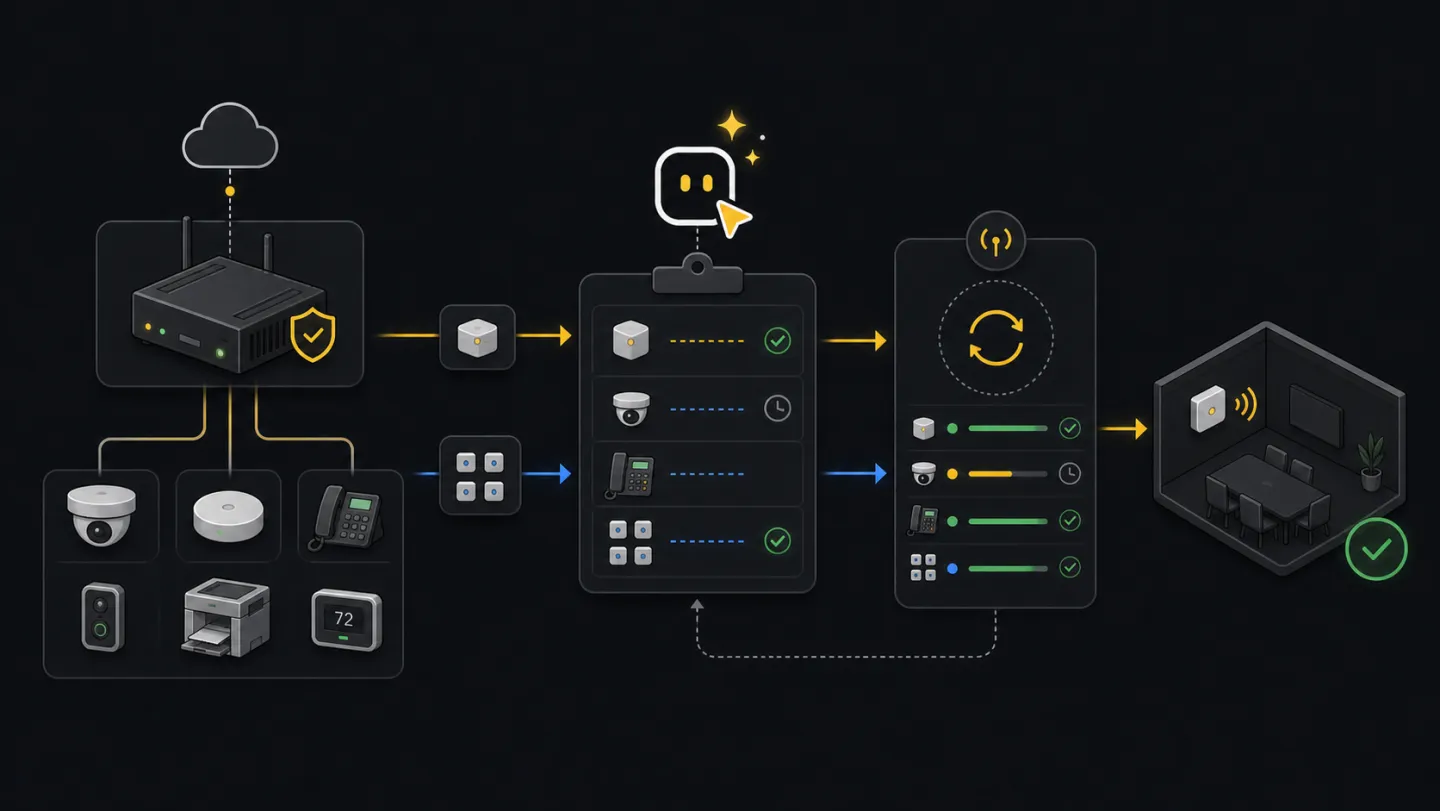
For adding new devices to a tenant. Native/direct devices use serial, MAC, cloud id, and target space; Edge devices use proxy, IP, model, and target space.
Before you start: You need a connected profile and the device identifiers (native: serial, MAC, cloud id) or Edge details (proxy id, device IP, model id, space id). Run Setup readiness first. New here? See the glossary.
Ask an agent
Upload or point the agent to a spreadsheet, CSV, or exported device list. It will read the file, separate native/direct devices from Edge devices, find missing fields, and stop before claiming.
I uploaded a spreadsheet of devices to claim. Read the file, tell me which rows are native/direct or Edge, list anything missing, and prepare a claim plan. Do not claim anything yet.What the agent will do
- DiscoverChoose claim pathUse the device source to choose native/direct, Edge, or Cloud-to-Cloud.
- InspectRead setupFind spaces, endpoints, and required identifiers.
- ChooseBuild payloadUse real identifiers and target space before any write.
- StopShow claimShow payload or prepared files before running claim.
- ReturnHandoffProvide command, report path, and read-back or resume path.
Ask how it works first
Ask this when you are not sure which claim path fits the devices you received.
How do I claim devices with xyte-cli?
How do I choose native/direct vs Edge claiming?
What identifiers do I need before claiming devices?
Choose the right claim path
Start by matching the request to the device type. Native/direct claim is for devices identified by serial number, MAC, cloud id, and target space. Edge claim is for devices behind an Xyte Edge proxy. Cloud-to-Cloud devices are claimed in the End Customer Portal, not through this CLI path.
| Path | Use when | CLI surface |
|---|---|---|
| Native/direct | You have serial number, MAC, cloud id, display name, and target space. | organization.devices.claimDevice |
| Edge | The device is reachable through an Xyte Edge proxy and you have proxy id, device IP, model id, and target space. | xyte-cli edge claim or xyte-cli edge claim-batch |
| Cloud-to-Cloud | The device is claimed through a vendor cloud account. | Use the End Customer Portal. |
Native/direct claim
Confirm the endpoint and target space
Describe the claim endpoint, then search spaces before placing a device into one.
xyte-cli api endpoints describe organization.devices.claimDevice

xyte-cli api call organization.spaces.getSpaces \
  --tenant <tenant-id> \
  --query-json '{"path_includes":"<target-path>"}' \
  > ./artifacts/native-target-spaces.json
Build the claim payload
Use real identifiers from the device label, inventory export, vendor record, or installer handoff. Do not guess missing identifiers.
{
  "name": "Room 101 Display",
  "space_id": <space-id>,
  "sn": "<serial-number>",
  "mac": "<mac>",
  "cloud_id": "<cloud-id>"
}
Claim one native/direct device
Run the write only after the target space and identifiers are confirmed.
xyte-cli api call organization.devices.claimDevice \
  --tenant <tenant-id> \
  --body-json '{"name":"Room 101 Display","space_id":<space-id>,"sn":"<serial-number>","mac":"<mac>","cloud_id":"<cloud-id>"}'
Prepare a native/direct spreadsheet
For a list of devices, prepare the spreadsheet first and review the accepted and rejected rows before running endpoint calls per accepted row.
xyte-cli util prepare \
  --action organization.devices.claimDevice \
  --tenant <tenant-id> \
  --input <input.xlsx> \
  --output-dir ./prepared
Single Edge claim
Discover the Edge claim fields
List Edge models first so the model id and custom parameter labels come from the model API. Describe the chosen model before planning the claim; use
parameters[].nameas the only supported custom parameter labels, include required parameters, and do not use masked password placeholders. Then list Edge proxies and target spaces.xyte-cli edge models list \ --tenant <tenant-id> \ --search <model-or-alias> \ --page 1 \ --per-page 100 xyte-cli edge models describe \ --tenant <tenant-id> \ --model-id <model-id> xyte-cli api endpoints describe organization.edge.startClaim xyte-cli api call organization.edges.getEdges \ --tenant <tenant-id> \ --query-json '{"page":1,"per_page":100}' \ > ./artifacts/edge-proxies.json xyte-cli api call organization.spaces.getSpaces \ --tenant <tenant-id> \ --query-json '{"path_includes":"<target-path>"}' \ > ./artifacts/edge-target-spaces.jsonPlan the claim
Planning reads the model and checks the inputs without starting the claim.
xyte-cli edge claim \
  --tenant <tenant-id> \
  --proxy-id <proxy-id> \
  --device-ip 192.168.1.100 \
  --device-model-id <device-model-id> \
  --space-id <space-id> \
  --display-name "Room 101 Display" \
  --mac aa:bb:cc:dd:ee:ff \
  --sn SN-12345 \
  --custom-parameters '{"SNMP community":"public","Port":"161"}' \
  --plan
Apply after approval
Apply starts the async claim and polls until success, failure, or timeout.
xyte-cli edge claim \
  --tenant <tenant-id> \
  --proxy-id <proxy-id> \
  --device-ip 192.168.1.100 \
  --device-model-id <device-model-id> \
  --space-id <space-id> \
  --display-name "Room 101 Display" \
  --mac aa:bb:cc:dd:ee:ff \
  --sn SN-12345 \
  --custom-parameters '{"SNMP community":"public","Port":"161"}' \
  --apply
Check status without starting a new claim
Use this after an interruption or when you need to inspect the current claim state.
xyte-cli edge claim-status \
  --tenant <tenant-id> \
  --proxy-id <proxy-id> \
  --device-ip 192.168.1.100
Batch Edge claim
Discover every model in the batch
Before preparing rows, list Edge models and describe each model that appears in the source file. Use the returned model ids and
parameters[].namelabels when fillingdevice_model_idandcustom_parameters. Required parameters must be present before claim, and password fields need real values rather than*****.xyte-cli edge models list \ --tenant <tenant-id> \ --search <model-or-alias> \ --page 1 \ --per-page 100 xyte-cli edge models describe \ --tenant <tenant-id> \ --model-id <model-id>Prepare the spreadsheet
Review the primary CSV and rejected CSV before running the batch. Keep rows with missing proxy, model, or space rejected until someone provides real tenant values. MAC and serial are optional; fill them only when the source data provides them.
xyte-cli util prepare \
  --action organization.edge.startClaim \
  --tenant <tenant-id> \
  --input <input.xlsx> \
  --output-dir ./prepared
Plan and apply the batch
Use report and resume files together. If the run is interrupted, rerun the apply command with the same resume file.
xyte-cli edge claim-batch \
  --tenant <tenant-id> \
  --input ./prepared/organization-edge-startclaim.csv \
  --report ./artifacts/edge-claim.report.ndjson \
  --plan

xyte-cli edge claim-batch \
  --tenant <tenant-id> \
  --input ./prepared/organization-edge-startclaim.csv \
  --report ./artifacts/edge-claim.report.ndjson \
  --resume-artifact ./artifacts/edge-claim.resume.ndjson \
  --apply
Already claimed? Use Edge custom parameter updates to change supported parameters on claimed Edge devices. The update workflow reads the model schema, sends a complete replacement custom_parameters object, and verifies read-back.
Confirm the result
{
  "status": "succeeded",
  "path": "native/direct or edge",
  "device": "Room 101 Display",
  "spaceId": "<space-id>"
}
For native/direct devices, finish when the claim call succeeds and a read-back shows the device in the target space. For Edge devices, finish when the claim reaches succeeded or already-claimed, and every batch row has a result in the report.
Make this repeatable
# Environment
XYTE_TENANT=<tenant-id>
NATIVE_INPUT=./prepared/organization-devices-claimdevice.csv
EDGE_INPUT=./prepared/organization-edge-startclaim.csv
EDGE_REPORT=./artifacts/edge-claim.report.ndjson
EDGE_RESUME=./artifacts/edge-claim.resume.ndjson

# Native/direct spreadsheet path
xyte-cli util prepare --action organization.devices.claimDevice --tenant "$XYTE_TENANT" --input <input.xlsx> --output-dir ./prepared

# Edge rerun path
xyte-cli edge claim-batch --tenant "$XYTE_TENANT" --input "$EDGE_INPUT" --report "$EDGE_REPORT" --resume-artifact "$EDGE_RESUME" --apply
If it fails
Stop and get the serial number, MAC, or cloud id from the installer, inventory export, or device record.
Read the existing device record before trying another claim path.
Bring the proxy online, then resume the same batch with the same resume artifact.
Check network and firewall reachability between the Edge proxy and device.
Fix the prepared CSV with real tenant values, then rerun from the same input and resume files.
Check claim status, then rerun with a longer poll timeout if the device is still expected to claim.