
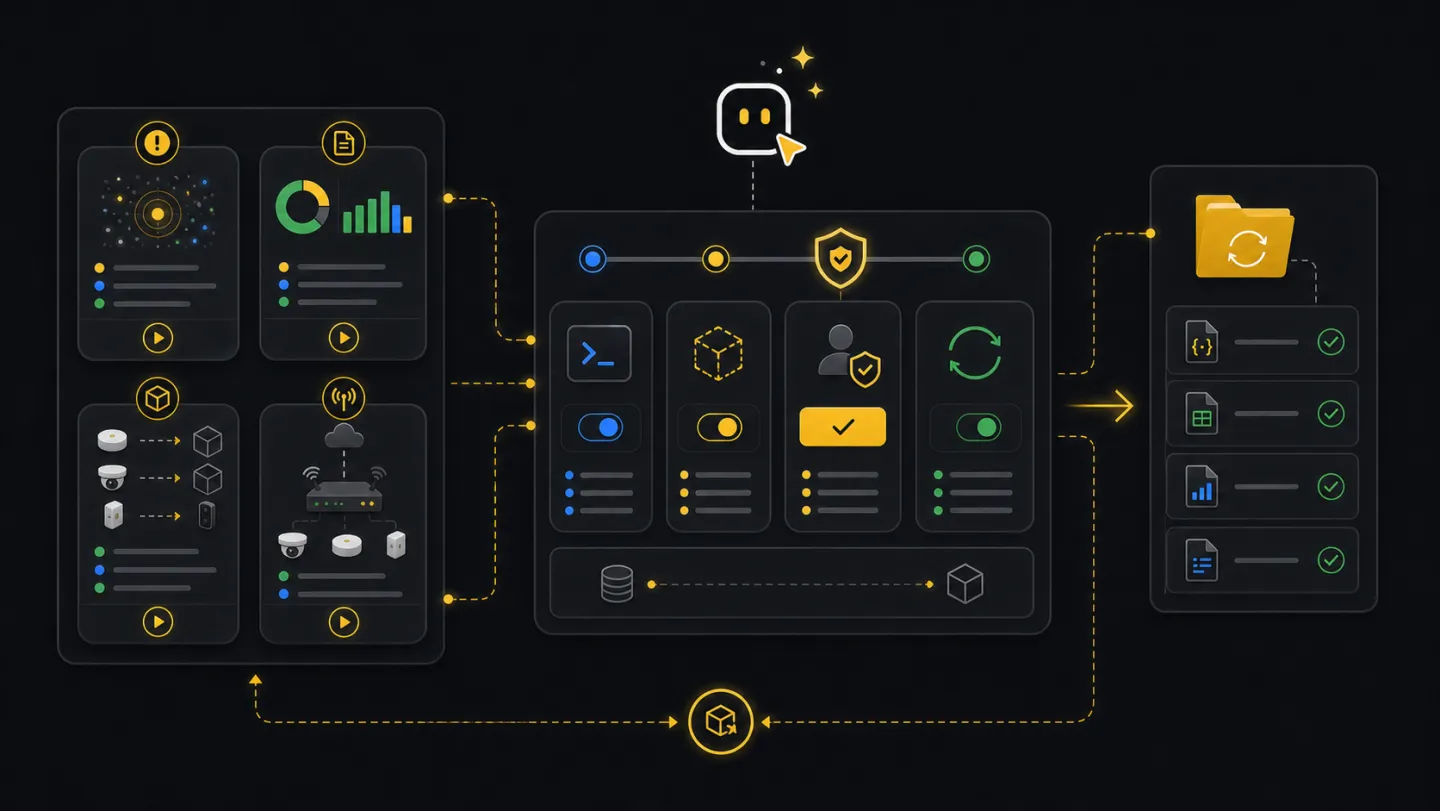
Flows
Built-in flows.
Flows package common operator work into repeatable runs: setup checks, incident watch, triage, reporting, remediation, migration, and Edge onboarding.
--plan is safe and shows what the run needs or would do.What flows are
A flow is a recorded sequence of normal CLI steps. It collects inputs, writes a run bundle, and pauses before sensitive changes so operators, agents, and CI jobs follow the same path each time.
Workflow
- SelectChoose flowMatch the flow to the work that triggered it.
- PlanRun dry pathCollect inputs, check readiness, and stop at gates.
- ReviewRead nextActionUse the summary to decide what to approve or fix.
- ResumeApply one gateAdvance one approved write with
--apply --resume. - HandoffUse artifactsShare outputs, reports, and run paths.
Ask an agent
Ask for the outcome. The agent can list available flows, choose the safest match, run a plan, and explain the next step.
Show me the built-in xyte-cli flow that fits incident triage, then run it in plan mode.

Plan a daily deep-dive report and show me the output files.

I uploaded a spreadsheet of devices to claim. Plan the batch, tell me which rows are native/direct or Edge, explain rows that need more data, and stop before apply.
Terminal and CI
In a terminal, start with the catalog. In CI, run read-only or plan-mode flows by default and publish the run bundle as an artifact.
xyte-cli flow list --format text

xyte-cli flow run flow.daily-deep-dive-report \
  --tenant <tenant-id> \
  --plan \
  --out-dir ./tmp/flow-runs \
  --strict-json

xyte-cli flow run flow.guided-remediation \
  --tenant <tenant-id> \
  --apply \
  --resume <run-id-or-path>
Flow catalog
Choose the flow by the event that created the work: setup, incident change, report handoff, remediation, migration, or onboarding.
flow.setup-readiness-10m: a machine, tenant, or agent session needs a readiness baseline.flow.incidents-delta-watch: incident state may have changed and you need a watch frame.flow.watch-to-triage: watch output needs fleet and report context.flow.daily-deep-dive-report: a daily or weekly handoff needs source JSON and a readable report.flow.device-command: a user wants to send one command to one device after embedded static-option scalar or array mapping,custom_fields/with_filevalidation, and approval, with optional command status polling.flow.guided-remediation: triage found a real issue and the next step may write state.flow.device-migration: device placement changed after a room import, rename, split, or reorganization.flow.edge-model-discovery: Edge model ids and custom parameter labels need to be discovered before claim or update work.flow.edge-claimandflow.edge-claim-batch: Edge devices need model discovery, parameter review, and planned claim runs.flow.edge-params-updateandflow.edge-params-update-batch: already-claimed Edge devices need full-replacement custom parameter updates with read-back verification.flow.edge-ping: check whether a device behind an Edge proxy is reachable, before or after a claim.
Read-only flows (flow.setup-readiness-10m, flow.incidents-delta-watch, flow.watch-to-triage, flow.daily-deep-dive-report, flow.edge-model-discovery) never change tenant state. Write-capable flows (flow.device-command, flow.guided-remediation, flow.device-migration, flow.edge-claim, flow.edge-claim-batch, flow.edge-params-update, flow.edge-params-update-batch, flow.edge-ping) plan first and pause before any write. Edge claim flows fetch Edge model data before the claim gate, so operators can inspect model ids and supported parameter labels before applying. Run xyte-cli flow list --format text to see each flow’s required context.
Examples
Run flow.watch-to-triage in plan mode so the next operator gets incident state, fleet context, and report files.
Run flow.daily-deep-dive-report to create the source JSON and readable report from the same tenant snapshot.
Run flow.device-command so model command metadata is captured before the approved send step. The selected model command name is sent under request field command, not name. Required fields and declared value types are checked, while labels and label arrays are mapped through embedded static options to exact scalar or array values; malformed or unresolved choices stop before sending. Provide an object in command_extra_params_json for custom_fields and command_file_id when with_file is true. Optional polling follows history pages for the one returned command id until a final status or the requested timeout. An interrupted send is not automatically repeated on resume.
Run flow.guided-remediation to inspect the current issue and pause before any command, ticket, or incident write. Its command step uses the same model-backed command_extra_params_json and command_file_id validation.
Run flow.edge-claim-batch after spreadsheet preparation so rejected rows and resume behavior are explicit.
Run flow.edge-params-update-batch after spreadsheet preparation so model validation, reports, and resume behavior are explicit.
Artifacts
Every run writes a bundle. Keep this path when you need to resume, explain the run, or attach outputs to a support handoff.
./tmp/flow-runs/<flow-id>/<timestamp>-<run-id>/
  manifest.json
  inputs.json
  decisions.ndjson
  errors.ndjson
  watch-frames.ndjson
  steps/
  outputs/
Retry and resume
Rerun --plan whenever tenant state, input files, or operator intent changed. Plan mode does not change tenant state.
Use the run bundle path or run id from the plan output. Do not create a new apply command from memory.
--apply --resumeResume the approved bundle only after the target and effect are still correct. If tenant state changed, run plan again first.
Keep the bundle and error output. For batch work, use the matching resume artifact instead of starting over.
Common failures
The flow is missing a profile label, a file path, or a specific value. Add --var key=value or --context-json.
Read nextAction. Resume only after the operator approves the specific change.
Use the original run id or bundle path. If metadata was edited or moved incorrectly, start a fresh plan.
Run --plan only and publish the run bundle for human review.