
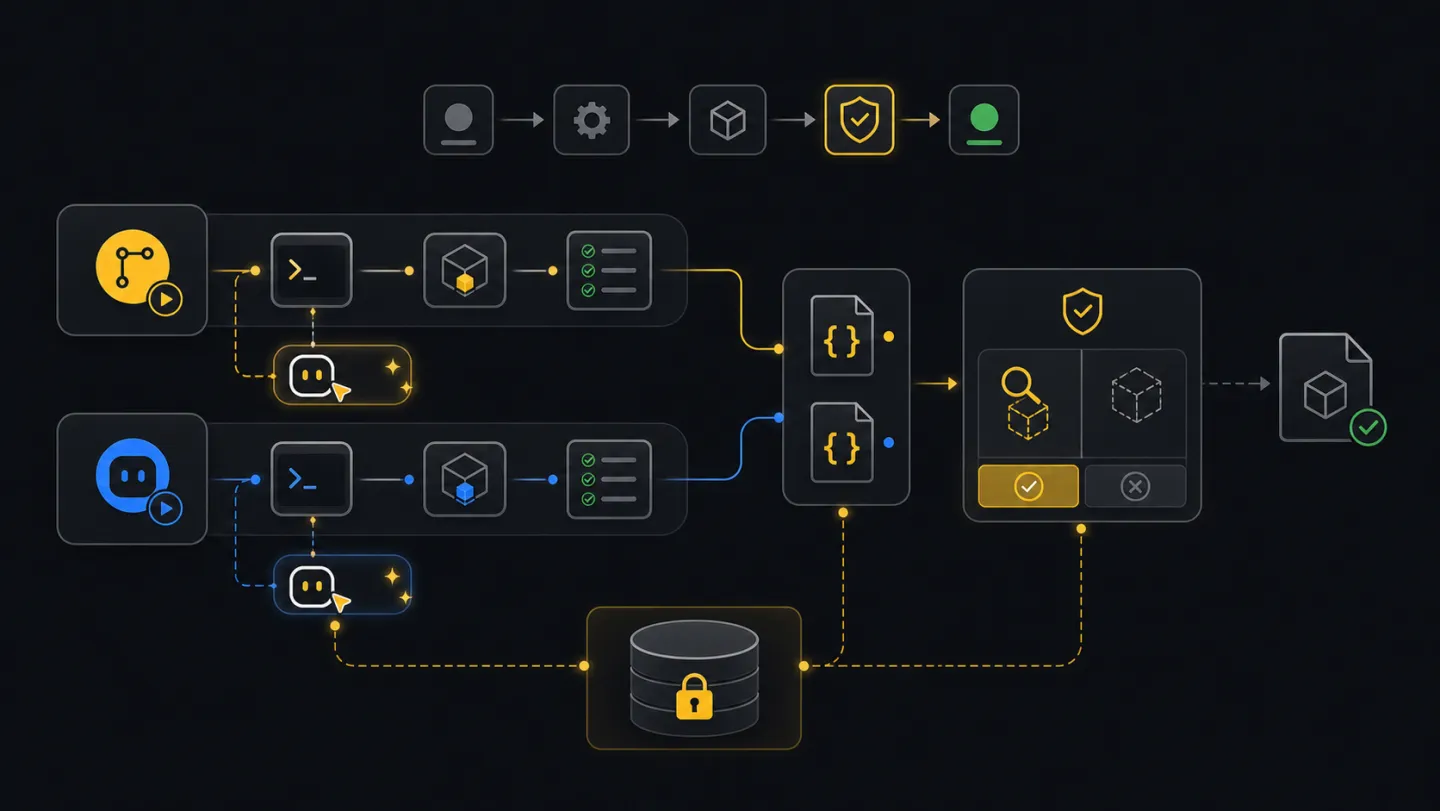
Automation
CI and agents.
For scheduled jobs, pipeline checks, and shell-capable agents such as Codex, Claude Code, and Copilot Agent mode.
Ask an agent
Ask for the automation outcome. The agent will map the secret, set up the CLI, create artifacts, and keep the first job read-only.
Set up a repeatable fleet report job that runs without printing secrets.What the agent will do
- DiscoverDefine jobClarify the report, plan, schedule, runtime, and saved artifacts.
- InspectCheck runtimeConfirm Node, CLI package, tenant setup, and secret source.
- ChoosePick surfaceSelect GitHub Actions, GitLab CI, Jenkins, a flow alias, or an agent runbook.
- StopShow draftPresent the job shape before writing files or creating flows.
- ReturnHandoffShow commands, artifacts, rerun path, and where apply requires approval.
Ask how it works first
Ask this before adding a workflow file when you need to understand secret handling and saved outputs.
How do I run xyte-cli from GitHub Actions?
How do AI agents handle XYTE_CLI_KEY safely?
How do I make a read-only fleet report job?
Goal
A good automation job says where the API key comes from, which tenant it uses, what files it saves, and whether it can change tenant state. Use JSON for machines and plan mode before writes.
CI recipes
These jobs are no-write by default. They set up the CLI from XYTE_CLI_KEY, create artifacts, and run read-only or plan-only commands with @xyteai/cli@latest. Pin a known version (@xyteai/cli@<version>) for reproducible CI.
GitHub Actions
Add a repository or environment secret named
XYTE_CLI_KEY. UseXYTE_TENANTonly when the runner manages more than one Xyte connection.name: xyte-readiness on: workflow_dispatch: schedule: - cron: "15 6 * * *" jobs: xyte: runs-on: ubuntu-latest env: XYTE_CLI_KEY: ${{ secrets.XYTE_CLI_KEY }} XYTE_TENANT: default steps: - uses: actions/checkout@v4 - uses: actions/setup-node@v4 with: node-version: "22" - run: mkdir -p artifacts reports - run: | printf "%s" "$XYTE_CLI_KEY" | npx -y @xyteai/cli@latest setup run \ --non-interactive \ --tenant "$XYTE_TENANT" \ --key-stdin \ --format json npx -y @xyteai/cli@latest config doctor --tenant "$XYTE_TENANT" --format json \ > artifacts/xyte-doctor.json npx -y @xyteai/cli@latest ops inspect fleet \ --tenant "$XYTE_TENANT" \ --output json \ --strict-json \ --out artifacts/xyte-fleet.ci.json - uses: actions/upload-artifact@v4 with: name: xyte-artifacts path: | artifacts/ reports/GitLab CI
Add a masked CI/CD variable named
XYTE_CLI_KEY. SetXYTE_TENANTtodefaultunless the runner manages multiple connections.xyte_readiness: image: node:22 stage: test script: - mkdir -p artifacts reports - | printf "%s" "$XYTE_CLI_KEY" | npx -y @xyteai/cli@latest setup run \ --non-interactive \ --tenant "${XYTE_TENANT:-default}" \ --key-stdin \ --format json - npx -y @xyteai/cli@latest config doctor --tenant "${XYTE_TENANT:-default}" --format json > artifacts/xyte-doctor.json - npx -y @xyteai/cli@latest ops watch incidents --tenant "${XYTE_TENANT:-default}" --profile incidents-active --once --output json --strict-json --out artifacts/incidents.ndjson artifacts: when: always paths: - artifacts/ - reports/Jenkins
Store the API key as a secret text credential. Use a plain environment value for the tenant id only when this runner manages multiple Xyte connections.
pipeline {
  agent any
  tools { nodejs "node-22" }
  environment {
    XYTE_TENANT = 'default'
  }
  stages {
    stage('xyte readiness') {
      steps {
        withCredentials([string(credentialsId: 'xyte-cli-key', variable: 'XYTE_CLI_KEY')]) {
          sh '''
            mkdir -p artifacts reports
            printf "%s" "$XYTE_CLI_KEY" | npx -y @xyteai/cli@latest setup run \
              --non-interactive \
              --tenant "$XYTE_TENANT" \
              --key-stdin \
              --format json
            npx -y @xyteai/cli@latest config doctor --tenant "$XYTE_TENANT" --format json > artifacts/xyte-doctor.json
            npx -y @xyteai/cli@latest flow run flow.daily-deep-dive-report \
              --tenant "$XYTE_TENANT" \
              --plan \
              --strict-json \
              --out-dir artifacts/flow-runs
          '''
        }
      }
    }
  }
  post {
    always {
      archiveArtifacts artifacts: 'artifacts/**, reports/**', allowEmptyArchive: true
    }
  }
}
Each job writes machine-readable artifacts. A trimmed fleet snapshot (xyte-fleet.ci.json) looks like:
{
  "schemaVersion": "xyte.inspect.fleet.v1",
  "tenantId": "<tenant-id>",
  "totals": { "devices": 124, "spaces": 38, "incidents": 18, "tickets": 3 },
  "generatedAtUtc": "2026-06-30T06:15:00Z"
}
CI decision table
| Signal | What it means | Next step |
|---|---|---|
| Empty secret | XYTE_CLI_KEY is unset or unavailable to this branch. | Fix CI secret scope; do not print the secret while debugging. |
| Auth failure | The key is wrong, expired, or belongs to the wrong provider scope. | Create a new Xyte key and rerun setup. Force the provider only if your admin tells you to. |
| Blocked readiness | Doctor cannot reach Xyte or setup is incomplete. | Stop the job; run setup readiness before operational commands. |
| Active incidents | The read job found current incidents. | Keep artifacts and route to incident triage or a notification step. |
| Rejected rows | A utility preparation or batch plan found rows it will not run. | Fix source data, rerun prepare, then rerun plan. |
| Paused flow | A flow reached an approval gate. | Publish the run bundle; apply only from an approved resume job. |
| Partial batch | Some rows completed and others failed or were skipped. | Use the same resume artifact and rerun only after fixing failed rows. |
| Network failure | The job could not reach Xyte or an Edge proxy. | Retry after network checks; avoid apply retries without resume artifacts. |
| Write plan pending | The job produced a change plan. | Review target ids and effect; run apply in a separate approved path. |
Agent prompt
Use a shell-capable agent. Chat-only assistants can explain commands, but they cannot install or run the CLI.
Set up a repeatable fleet report job that runs without printing secrets.A useful result includes the workflow file, the secret name to configure, the artifact paths, and the command the job will run. If the job cannot authenticate, cannot write artifacts, or reaches a write plan, keep the logs and route the next step to a person.
Make this repeatable
# Environment
XYTE_CLI_KEY=<secret from CI, never from source>
XYTE_TENANT=default

# Rerun path
printf "%s" "$XYTE_CLI_KEY" | npx -y @xyteai/cli@latest setup run --non-interactive --tenant "$XYTE_TENANT" --key-stdin --format json
npx -y @xyteai/cli@latest ops inspect fleet --tenant "$XYTE_TENANT" --output json --strict-json --out ./artifacts/xyte-fleet.ci.json
If it fails
Use the npx command or the workspace-local command recommended by xyte-cli doctor environment.
Check the CI variable name and whether the job is allowed to read it for this branch or environment.
Use the command's JSON output option with --strict-json. Do not parse human-readable terminal text.
Stop it and ask for the plan output first. Apply only after the target ids and next action are clear.