
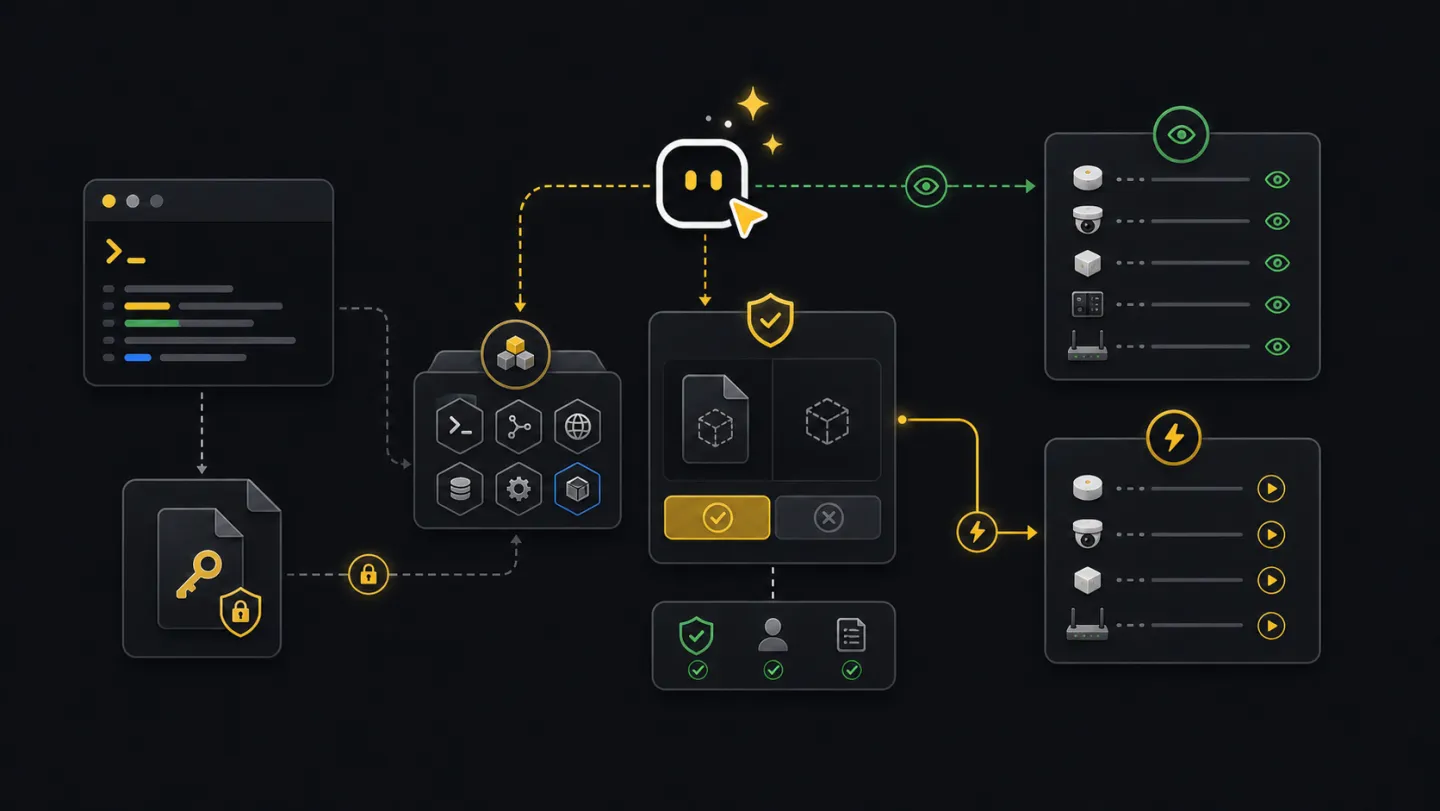
Agents
Agent guidance.
Set up Codex, Claude Code, Copilot Agent mode, or another shell-capable agent to run xyte-cli safely.
Agent setup
Use an agent with shell access. It needs a workspace terminal, permission to run xyte-cli, and a safe way to read the API key without seeing the key text in chat.
| Agent type | What it needs | How it runs xyte-cli |
|---|---|---|
| Codex or Claude Code | Workspace terminal access and permission to run commands. | Inspect setup, run commands, create files, and ask before write-capable apply steps. |
| Copilot Agent mode | A repository workspace with terminal or CI job access. | Prepare commands, config, and job snippets; use CI secrets for API keys. |
| Chat-only assistant | No shell access. | Explain commands only. A person still runs them in a terminal. |
| CI agent | Node.js, pinned CLI package, and XYTE_CLI_KEY as a secret. | Run non-interactive setup, write artifacts, and stop at plan for changes. |
The agent must be able to run xyte-cli, read command output, and write artifacts such as JSON, NDJSON, CSV, Markdown, or run bundles.
Give the agent a key-file path, stdin secret, or secret manager command. Do not paste the API key into chat.
For moves, claims, remediation, imports, or other tenant changes, the agent stops after the plan and waits for approval.
The final answer includes commands run, files written, what changed, what did not change, and the next decision.
Do not paste
- API keys, bearer tokens, cookies, or browser session data.
- Customer exports or tenant-sensitive data unless the task requires that data in the workspace.
- Guessed device ids, incident ids, proxy ids, or space ids.
- Approval to apply a tenant change before the target and effect are clear.
What agents do
A useful agent runs the same CLI commands a person would run. It shows the command, uses structured output for decisions, and stops when the next step needs approval.
Workflow
- GoalUnderstand the taskStart from the operator outcome, not from a guessed endpoint.
- ReadyCheck setupConfirm CLI, tenant, and connectivity before interpreting data.
- ReadInspect current stateWatch incidents, inspect fleet, or describe endpoint contracts.
- GatePlan writesShow the proposed change and wait for explicit approval.
- HandoffReport pathsList commands run, files written, and the next safe action.
Ask an agent
Use short, plain requests. Do not preload the prompt with IDs unless you already have them. Let the agent discover context and ask only for missing inputs.
Readiness prompt
Can you check whether this machine is ready to use xyte-cli?Incident triage prompt
Show me active incidents and what changed since yesterday.Report prompt
Make today's fleet report and show me the saved files.Write plan prompt
Something is broken in a room. Find the cause and prepare a fix plan. Do not apply changes.CI job prompt
Set up a repeatable fleet report job that runs without printing secrets.Terminal and CI
Anything an agent does here can be reproduced in a terminal or CI job. Use non-interactive setup, JSON output, saved artifacts, and plan-only flows unless the job has a separate approval step.
# Terminal
xyte-cli ops inspect fleet \
  --tenant <tenant-id> \
  --output json \
  --out ./artifacts/fleet.json

# CI
printf "%s" "$XYTE_CLI_KEY" | npx -y @xyteai/cli@latest setup run \
  --non-interactive \
  --key-stdin \
  --format json

npx -y @xyteai/cli@latest flow run flow.daily-deep-dive-report \
  --tenant default \
  --plan \
  --strict-json
Setup path
When setup is missing, give the agent a path to an API key file outside the workspace. Do not paste the key text. If the machine manages more than one Xyte connection, include the local profile label.
xyte-cli doctor environment --format json
xyte-cli setup run \
  --non-interactive \
  --key-file <path-outside-workspace> \
  --format json
xyte-cli setup status --format text
xyte-cli init --scope project --agents all --force --no-setup
Write boundary
For commands that can change tenant state, plan first. Apply is a separate step after the operator reviews the target, effect, and resume path.
xyte-cli flow run <flow-id> --tenant <tenant-id> --plan
xyte-cli flow run <flow-id> --tenant <tenant-id> --apply --resume <run-id-or-path>- Requests that only inspect tenant state can run immediately after readiness checks.
- Move, claim, close, update, send-command, and import actions need approval.
- After a write, read back the changed state.
Examples
Ask: "Show me what changed in active incidents since yesterday and save fleet context." The agent runs watch once, saves fleet JSON, and summarizes changes.
Ask: "Create this week's deep-dive report and show me the saved files." The agent saves source JSON and a Markdown or PDF report.
Ask: "Help me move devices after the room import." The agent exports current devices and spaces, builds a move CSV, and stops at dry run.
Ask: "Plan device claiming from this spreadsheet and stop before claiming." The agent chooses native/direct or Edge, prepares rows, explains missing fields, and stops before the claim runs.
Handoff
A useful agent answer ends with what changed, what did not change, where the files are, and what the next decision is.
Profile checked: default
Commands run: setup status, config doctor, ops inspect fleet
Files written:
  ./artifacts/fleet.json
  ./reports/xyte-daily.md
Next action: review the report or ask for remediation planning.